SearchFind a store
Support for your

Washer

Washer

TwinDos Whites or TwinDos Colors flashes

At the start of the program, the TwinDos Whites sensor control or the TwinDos Colors sensor control flashes in the washing machine display.

The detergent cartridge for compartment 1 (TwinDos Whites) or the detergent cartridge for compartment 2 (TwinDos Colors) is empty.

UltraPhase 1 is a liquid detergent which dissolves dirt and removes the most common stains. UltraPhase 2 is a bleaching agent and removes stubborn stains. For the best wash results, these two agents are dispensed at separate times during the wash process. UltraPhase 1 and UltraPhase 2 clean white and colored fabrics.

The flashing sensor controls only indicate the compartment in which the detergent cartridge is empty.

Prepare the new cartridge:

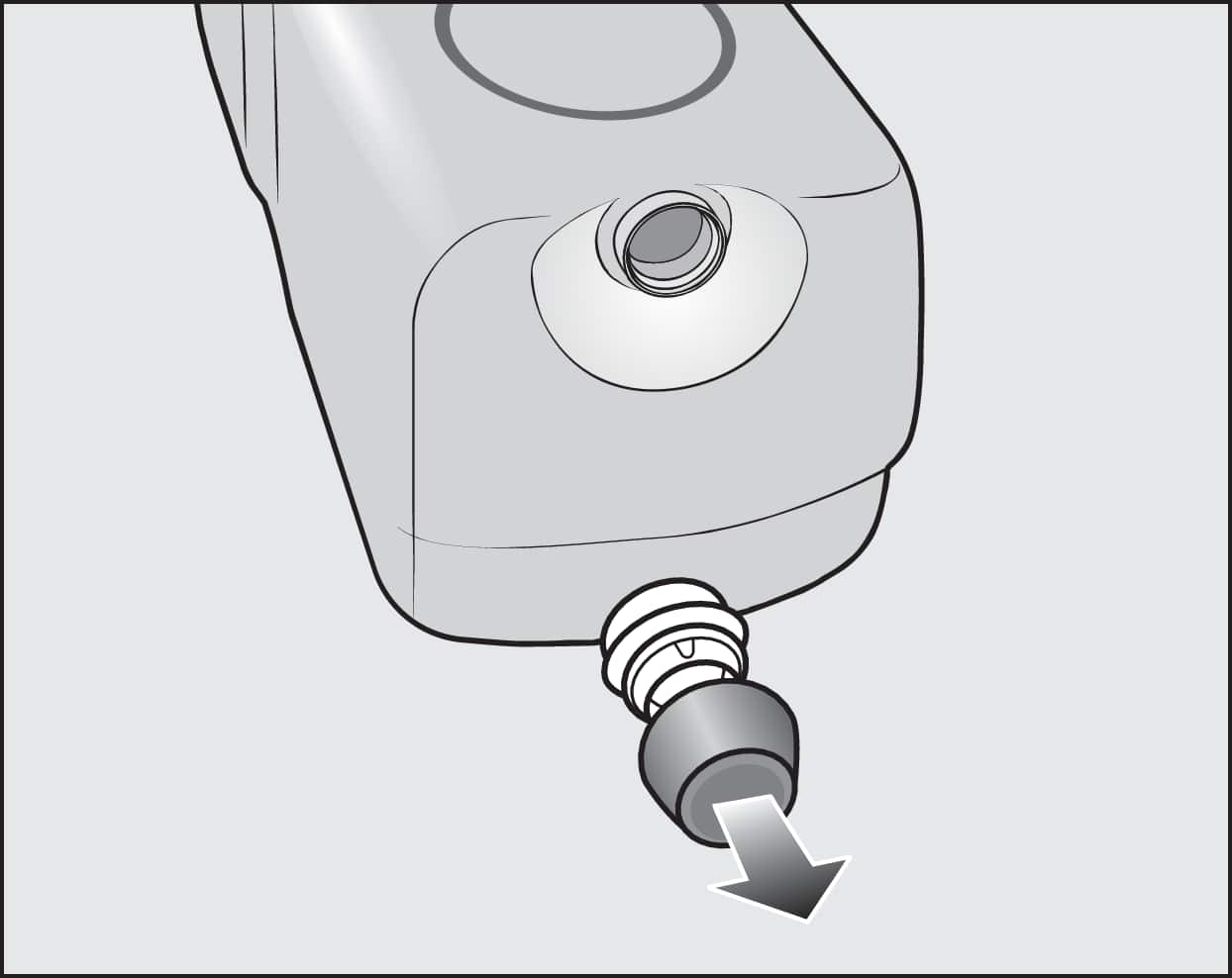
  • Remove the cover cap from the cartridge.

    or
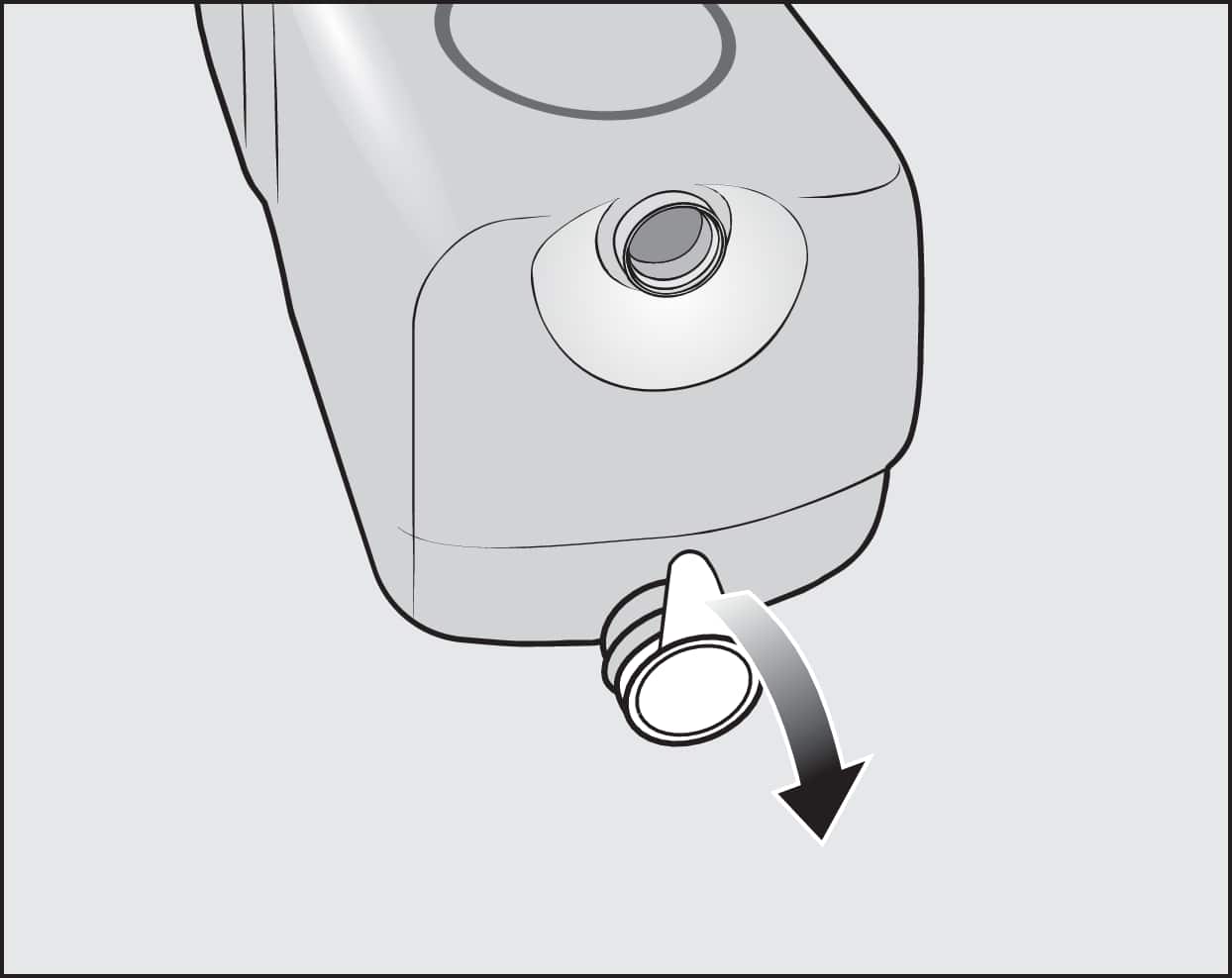
  • Remove the film seal from the cartridge completely.

Risk of damage from film seal

If the film seal is not removed completely, leaks can occur in the TwinDos system.

Remove the film seal from the suction port on the cartridge completely before inserting the new cartridge.

Replace the detergent cartridge:

  • Switch on the washing machine.

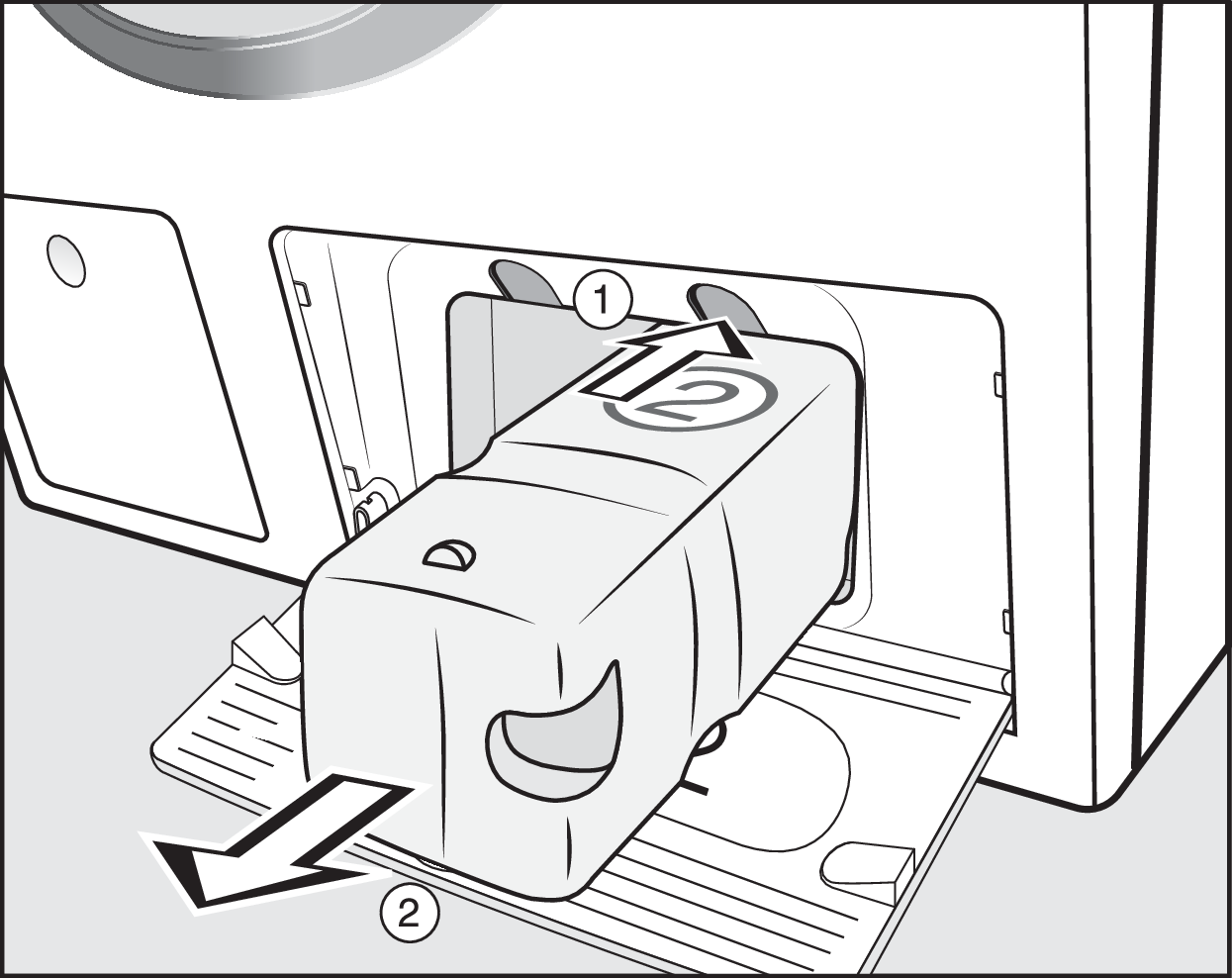
  • To release the lock, press the yellow button above the cartridge (1).

  • Pull out the detergent cartridge (2).

  • Insert a new cartridge.

  • Touch the flashing sensor control.

The counter is set to 0.

Additional media

Play video
Manual finder

Manual finder

Here you will find the operating instructions for your Miele appliances.
Find your manual
Book a technician

Book a technician

We will happily take your repair booking online.
Schedule a service call
Support 24/7

Support 24/7

Use our contact form to describe your request. Miele Service will get back to you as soon as possible.
Contact us