A program has been selected in which the use of UltraPhase 1 and 2 is not recommended or possible with this washing machine.
Use the detergent drawer for dispensing detergent.
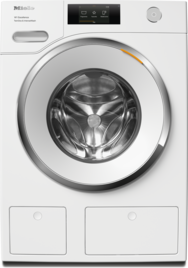
The washing machine’s TwinDos system cannot be used.
Use the detergent drawer for dispensing detergent.
Please book a repair appointment online.
Models with time display :
Prerequisite for accessing the programming level:
The washing machine is switched on (the program selector is pointing to a wash program).
The washing machine door is open.
Switch on TwinDos via programmable function P65 as follows:
Touch the Start/Add laundry sensor control and hold it down whilst carrying out steps –.
Close the washing machine door.
Wait until the Start/Add laundry sensor control lights up constantly ...
... and then release the Start/Add laundry sensor control.
The first P number that can be set lights up on the time display after approx. 4 seconds.
Touch the or sensor control until P65 appears on the time display.
Confirm with the Start/Add laundry sensor control.
lights up on the time display (TwinDos is switched off).
Touch the sensor control.
lights up on the time display (TwinDos is switched on).
Confirm with the Start/Add laundry sensor control.
The number of the programmable function (P65) will then light up again.
Turn the program selector to the position.
The settings you have selected are now stored in the memory. You can alter the settings again at any time.
Models with display control field and sensor controls
Turn the program selector to Additional programs/.
Touch the sensor controls until Settings appears on the display.
Confirm with the OK sensor control.
You are now in the Settings submenu.
Touch the sensor controls until the TwinDos setting appears on the display.
Select the required detergent and confirm your selection with OK.
Compartment 1 appears on the display first.
Confirm your selection with OK.
The dispensing quantity must then be set on an individual basis. Please set the dispensing quantity according to the information on the detergent packaging, using the details recommended for normally soiled laundry. Use the sensor controls to make the setting and confirm your selection with OK.
The detergent type and dispensing quantity for compartment 1 have been set.
Repeat this process for compartment 2.
To exit the settings, turn the program selector.
Models with touch display
Open Settings.
Select Program sequence.
Select TwinDos.
Select Select detergent.
If No detergent is selected, the corresponding TwinDos compartment function will be deactivated.
Select the required detergent and follow the instructions on the display.


