SearchFind a store
Support for your

Canister Vacuum Cleaner

Canister Vacuum Cleaner

Radio-controlled handle not working

The vacuum cleaner’s radio-controlled handle is not working.

On the Guard L1, the Comfort radio-controlled handle 2.0 is not connected to the vacuum cleaner via Bluetooth.

The Comfort radio-controlled handle 2.0 and the Guard L1 vacuum cleaner are not connected to each other on delivery.

Connect the Comfort radio-controlled handle 2.0 as follows:

Press the + footswitch until the maximum power level has been reached.

Press and hold the + footswitch.

A countdown is displayed and the vacuum cleaner fan is switched off for the duration of the connection attempt. After the countdown has elapsed, a radio-controlled handle is shown on the display.

The vacuum cleaner is now in connection mode.

Release the footswitch.

Press any button on the radio-controlled handle to activate it.

The radio-controlled handle attempts to establish a connection to the vacuum cleaner for a maximum of 20 seconds.

The vacuum cleaner display indicates that the connection has been established successfully, then the fan switches on again.
The vacuum cleaner is not switched on.

The radio-controlled handle can only be used to operate the vacuum cleaner if the vacuum cleaner is switched on.

Switch the vacuum cleaner on using the  On/Off footswitch.

The vacuum cleaner has not yet fully started up (Guard L1).

The Comfort radio-controlled handle 2.0 will not always respond the first time a button is pressed, because it can take up to 5 seconds for the Guard L1 vacuum cleaner to start up.

Wait until the vacuum cleaner has fully started up.

The battery of the radio-controlled handle or Comfort radio-controlled handle 2.0 is flat.

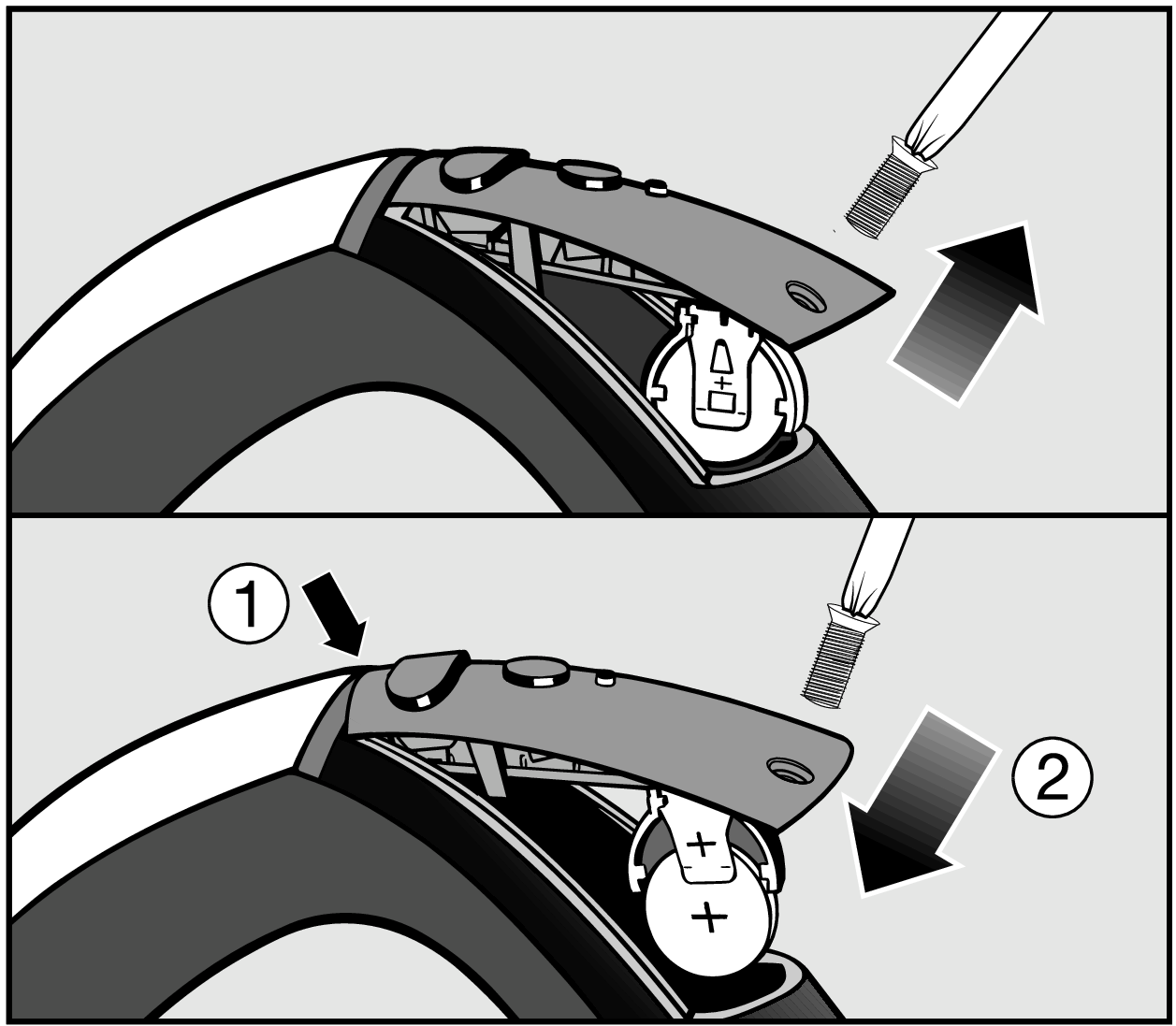
Replace the radio-controlled handle battery as follows:

Undo the retaining screw on the battery compartment cover using a Phillips screwdriver and then remove the cover | Replacing the battery | Handle controls

Undo the retaining screw on the battery compartment cover using a Phillips screwdriver and then remove the cover.

Replace the battery with a new one. Make sure the polarity is correct.

Replace the cover and tighten the retaining screw.

Dispose of the old battery in a municipal recycling facility.

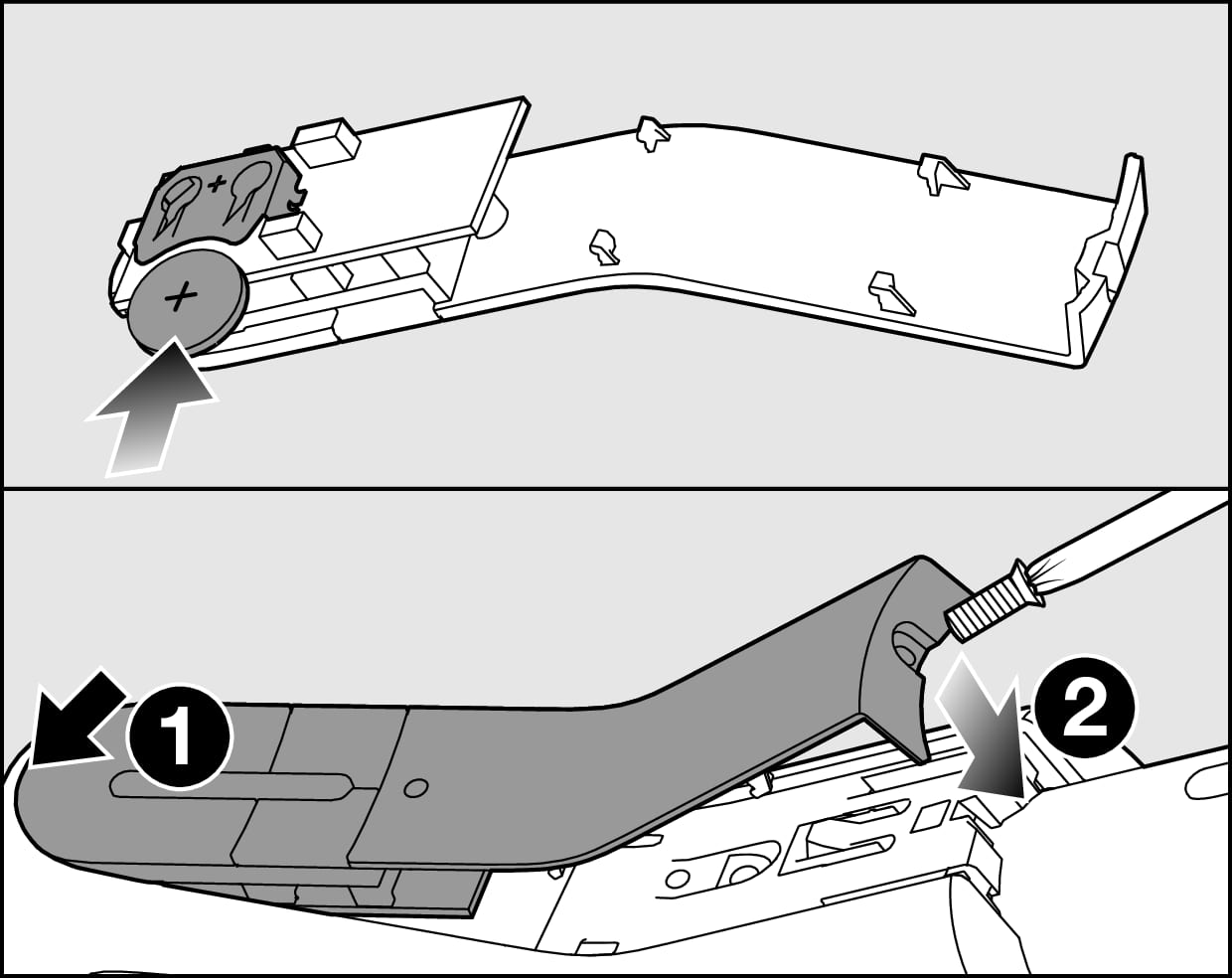
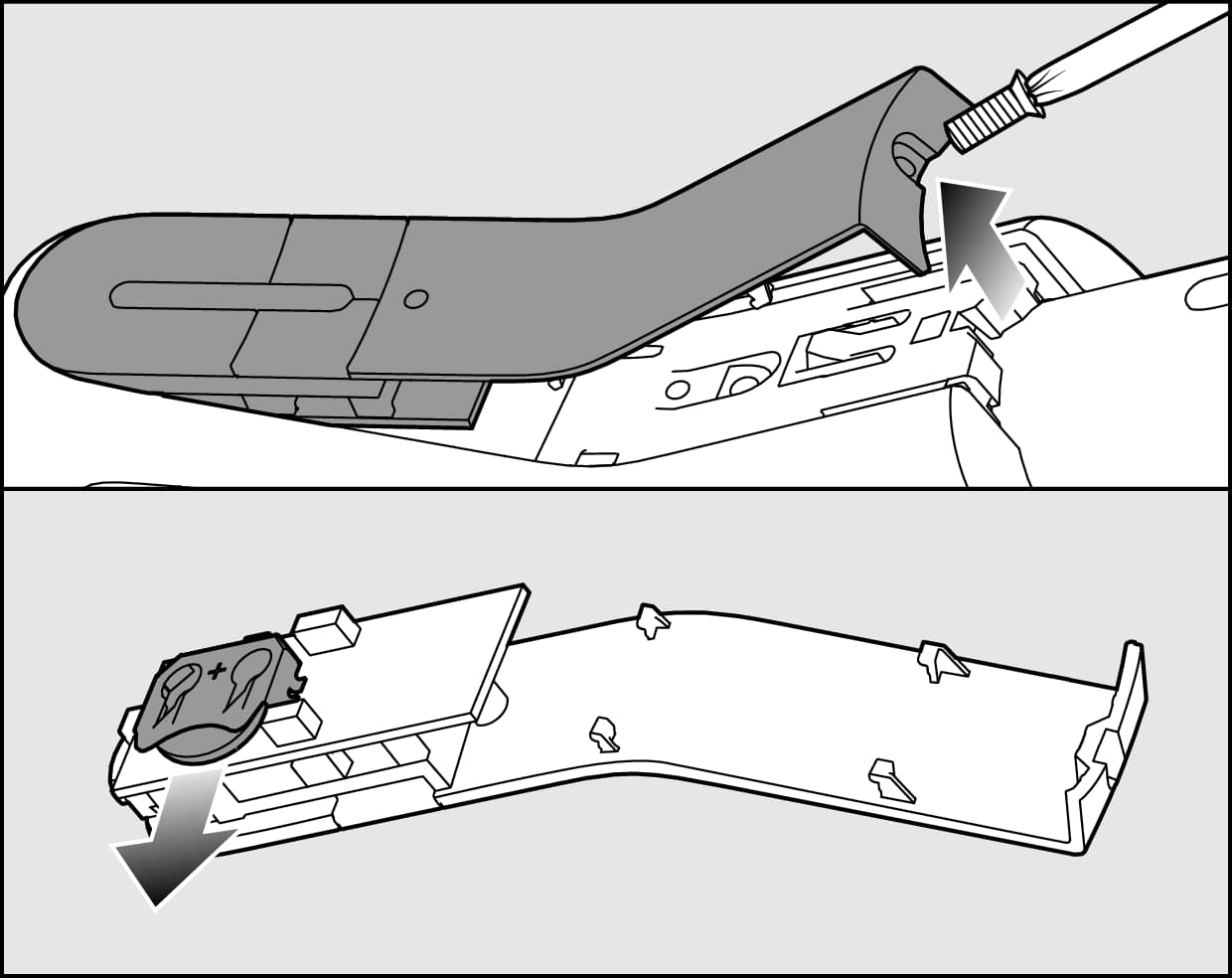
Replace the Comfort radio-controlled handle 2.0 battery as follows:

Undo and remove the retaining screw on the battery compartment cover with a Torx screwdriver | Replacing the Comfort radio-controlled handle 2.0 battery | Miele canister vacuum cleaner

Undo the retaining screw on the battery compartment cover using a Torx screwdriver and then remove the cover.

Replace the battery with a new one. Make sure the polarity is correct.

Replace the Comfort radio-controlled handle 2.0 battery and replace the cover | Miele canister vacuum cleaner

Replace the cover, paying attention to the fastening sequence, and tighten the retaining screw.

Dispose of the old battery in a municipal recycling facility.

If the fault persists, please contact Miele Service.

Manual finder

Manual finder

Here you will find the operating instructions for your Miele appliances.
Find your manual
Book a technician

Book a technician

We will happily take your repair booking online.
Schedule a service call
Support 24/7

Support 24/7

Use our contact form to describe your request. Miele Service will get back to you as soon as possible.
Contact us